Every family that tries chores hits the same question sooner or later: do we stick a chart on the fridge, or do we use an app? Both can work. Both can also end up ignored by week three. The tool matters less than whether it fits your kids, your schedule and your patience.
Here is an honest look at each, with no pretending that one is right for everyone.
What a paper chart does well
A paper chart is simple, cheap and always visible. That last part is a big deal for young kids.
- It lives where the action is. A chart on the fridge or the bedroom door is a reminder every time your child walks by. No screen, no login, no battery.
- Little hands love stickers. For a 5- or 6-year-old, peeling a sticker and pressing it onto a square is half the fun. The physical act makes the job feel finished.
- It is easy to change. New chore? Grab a marker. Summer schedule? Print a new sheet.
- It keeps screens out of it. If you are already working to limit screen time, a paper chart keeps chores from becoming one more reason to pick up a device.
Where paper starts to struggle
Paper charts tend to wobble once life gets busier or kids get older.
- Nobody sees it when you are out. If you are at work and your 10-year-old says the dishwasher is emptied, you find out when you get home.
- Points and rewards get messy. Tallying stickers across a week, subtracting what was spent on a reward and carrying the rest forward is real bookkeeping. Most of us lose track.
- Two homes, two charts. Kids who split time between parents, or families with a sitter in the mix, often end up with charts that don't match.
- Older kids roll their eyes. By 10 or 11, many kids find a sticker chart babyish. They may still want structure, just not the kind that looks like a kindergarten classroom.
- It can be fudged. A sticker in the wrong square is easy to add, and hard to argue about later.
What a chore chart app does well
A good chore chart app takes on the bookkeeping so you can focus on the kid.
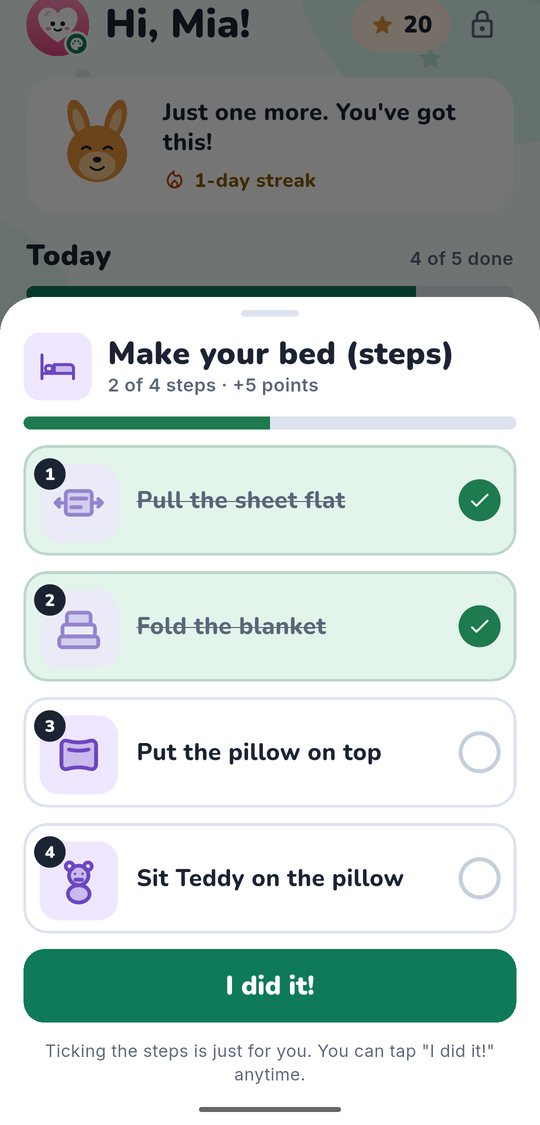
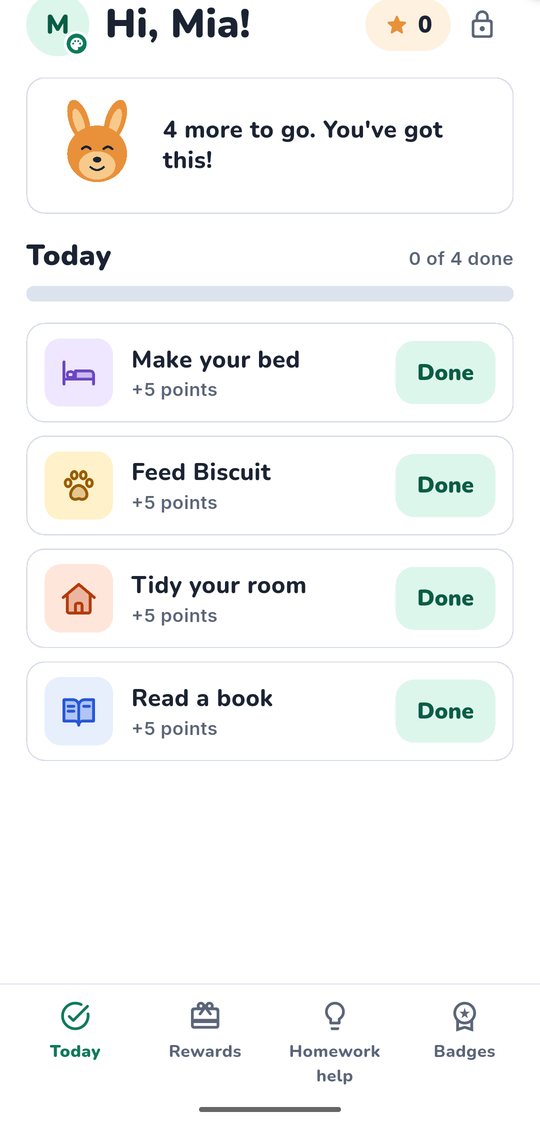
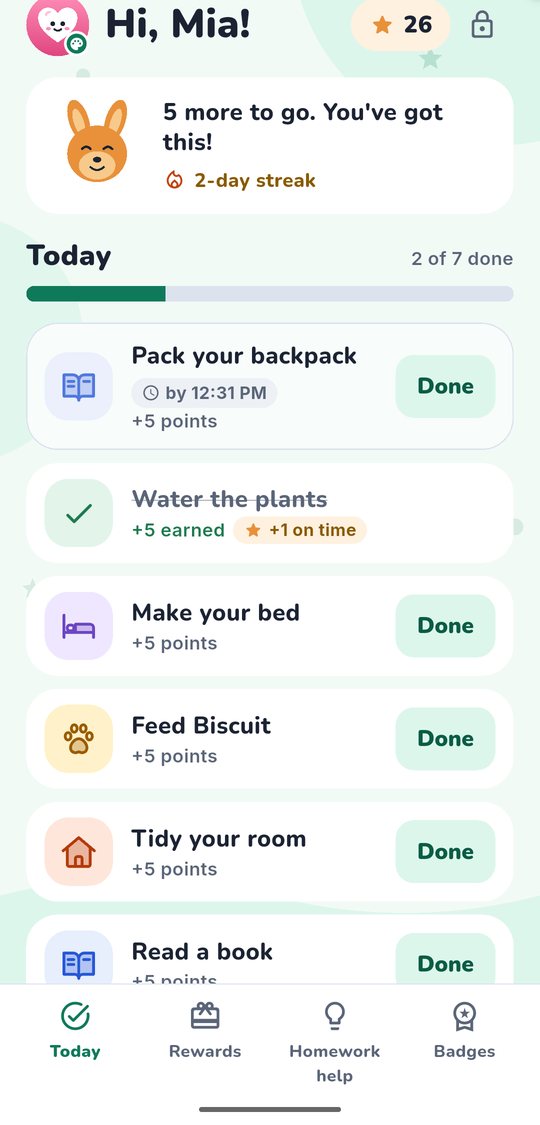
- Everyone sees the same list. You assign a chore on your phone and it shows up on your child's device. When they tap Done, you know right away.
- Points add up on their own. Approve a chore and the points are added. Approve a reward and they come off. No tally marks.
- It works across homes and caregivers. If both parents use the same family account, the list follows the child.
- It can grow with your kid. A chart with big pictures for a 6-year-old can look very different from a tidy to-do list for a 12-year-old.
Where apps can go wrong
Apps have real downsides, and it is worth naming them.
- It is another screen. If your child's device is also where the games live, "check your chores" can turn into "open YouTube."
- Some apps are built to hook kids. Spinning wheels, mystery boxes, streaks that punish a missed day and leaderboards between siblings can turn chores into a game you never agreed to.
- Privacy is not a given. Some kids' apps carry ads or tracking. You should know what an app collects about your child and who receives it.
- Setup takes effort. You will spend some time adding kids, chores and rewards before anyone empties a single trash can.
If you are weighing apps, our checklist for choosing a chore app for kids walks through what to look for.
Many families use both
This is the part people forget: you don't have to choose one forever.
A common setup is a paper chart for the youngest and an app for the older kids. Another is an app for tracking points and rewards, plus a simple printed list on the fridge so a 5-year-old has something to look at. Some families start with paper, then move to an app when kids start asking, "How many points do I have?" every evening.
The best chore system is the one your family still uses a month from now.
How to choose by age
Ages are rough guides. You know your child better than any list does.
Ages 5 to 7. Pictures beat words. Kids this age need big, simple visuals and a quick payoff. Paper works beautifully here. If you use an app, look for big icons and very little reading, and keep the list short: three or four jobs a day is plenty.
Try saying: "Here are your three jobs today. When one is done, you get to mark it. Which one do you want to start with?"
Ages 8 to 10. This is where an app often starts to earn its place. Kids can read the list on their own, like seeing points grow, and can handle waiting for you to approve a job. They also start noticing whether things are fair, so a clear record of what was done and what it earned helps.
Try saying: "When you tap Done, I'll take a look. If it's finished, the points are yours."
Ages 11 to 12. Most kids want more say and less decoration. A plain list with a few weekly jobs, like laundry or mowing, tends to land better than daily stickers. Let them help choose the chores and the rewards. Many families move to an app at this age simply because the child already carries a device and a fridge chart feels like a step backward.
Try saying: "These are the jobs that keep the house running. Which two do you want to own this month?"
A simple way to decide this week:
If you are stuck, try this:
- Write down the chores you actually want done, not the ideal list.
- Pick the format your youngest can use without help.
- Run it for two weeks without changing anything.
- At the end, ask your kids what worked and what was annoying. Then adjust.
If you land on an app, KudosNest is one option we are building: parents assign chores, kids tap Done, you approve and award points, and kids swap points for rewards you set. Kids can use it on their own device or on yours, and there are no ads, no tracking and no random prizes. It is not out yet, but you can join the waitlist below. Paper is still a great answer for plenty of families, and it is fine if that is where you land.